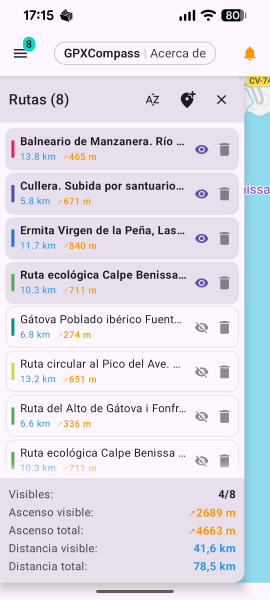
01 / Routes
Organise every stage
Import multiple GPX tracks, colour-code them, switch visibility and compare visible distance and ascent from the routes panel.
GPS companion for hikers and cyclists who rely on mobile coverage. Follow GPX routes with live Google Maps, real-time deviation alerts and emergency signal monitoring — all in one clean, minimal app.
Unlike dedicated offline tools, GPXCompass is built for the scenarios where mobile coverage is available — and focuses on making sure you always know when it's not.
Instant visual and audio alerts when mobile coverage is lost or restored. You'll always know your ability to call for help, without checking signal bars constantly.
Live Google Maps — never a static offline snapshot. Always current, always accurate. Switch between normal, terrain, satellite and hybrid with a single tap.
Only the core tools are exposed. The app stays out of your way and speaks up only when something important changes — so you can focus on the trail.
GPXCompass is intentionally minimal — every feature earns its place. The interface stays readable even in bright sunlight, on tired eyes, or when you're moving fast.
Always up-to-date online maps. Switch between normal, terrain, satellite or hybrid layers instantly with the floating button.
Import dozens of GPX files, keep them saved locally and switch between stages instantly. Built for multi-day routes like the Camino de Santiago.
Know the moment you stray from your route. Progressive audio warnings with smart cooldowns — always alert, never overwhelming.
Visual and audio alerts when mobile signal drops or returns. Know instantly when you can — or can't — call for help.
Map rotates with your heading using high-frequency GPS and compass mode. Smart camera locking keeps your position centred as you move.
Dynamic charts rendered to scale — distance, ascent, descent, max/min altitude and slope. Drag to explore, pinch to zoom.
Rename stages, pick highlight colors, set start dates and add rich notes. Every change persists between sessions.
Low-glare dark interface optimised for battery life and outdoor readability. Clear and usable even in full sunlight or on long days.
All location processing happens on-device. No data uploaded, no ads, no analytics. Internet is used only to download Google Maps tiles.
From planning a stage to monitoring the climb and your connection, GPXCompass keeps live navigation and essential controls within reach.
Import multiple GPX tracks, colour-code them, switch visibility and compare visible distance and ascent from the routes panel.
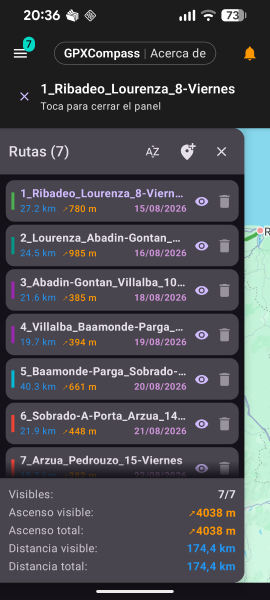
Keep every Camino stage organised with dates, ascent, visibility controls and live totals for the route sections currently shown.
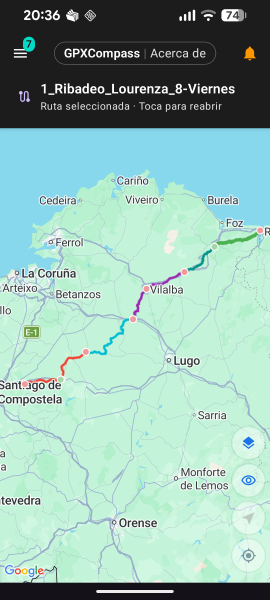
View several colour-coded GPX stages together on the live map, from coastal starts to inland sections and final approach.
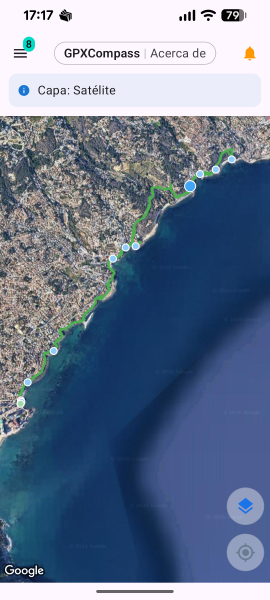
Switch between Google Maps layers, including satellite view, while the selected track and route points remain visible.
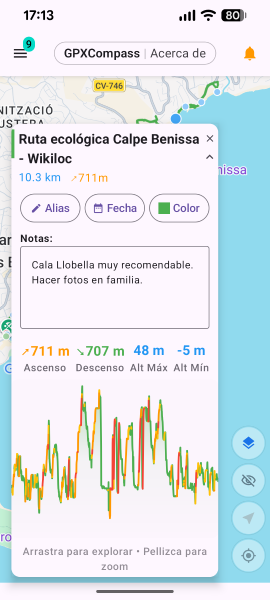
Open a track card to edit its alias, colour and date, keep notes, and review distance and elevation information.
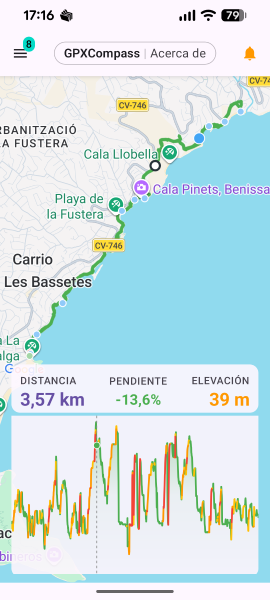
Explore a dynamic profile with distance, slope and elevation readings to understand the effort along your selected route.
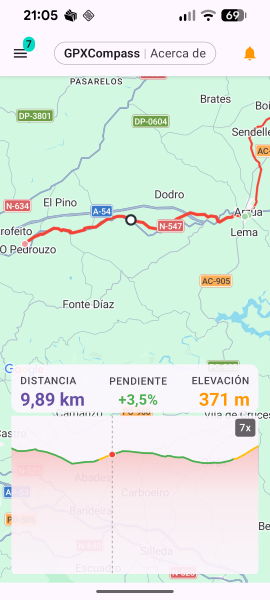
Pinch into the elevation profile and scrub along the track to connect climbs, descents and distance with the map position.
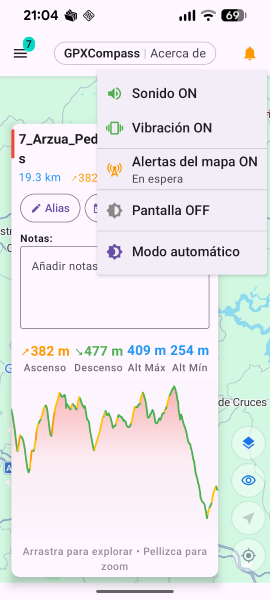
Control sound, vibration, map-connectivity alerts, screen behaviour and theme mode from a compact menu over the route.
Swipe to explore the app screens
Designed for hikers, cyclists and outdoor explorers who want to follow GPX tracks while staying within reliable network coverage — so that both the live map and your ability to call or send messages are always there if you need them.
Available in 6 languages:

Aquoric is an independent software studio building calm, purposeful applications. We believe the best tool is one that does its job quietly — giving you exactly what you need, then getting out of your way.
Every interface we craft follows the same philosophy: minimal friction, clear information, and just the right amount of functionality to keep you in control without complicating things.